Quiet Tower Fan: 7 Picks Compared for Cooler Rooms
For a quiet tower fan, prioritize the noise level at your usual speed, not just the lowest setting. The right pick balances sound, airflow, room placement, and features you will use. A bedroom, living room, and home office can each call for a different compromise: a gentler breeze for sleep, broader circulation for shared seating, or controls that stay unobtrusive while you work. This shortlist covers seven options with different airflow needs and tradeoffs. Compare measurements at matching speeds, then consider how the fan fits your space and routine. A strong result on one setting does not describe every level, and a low price cannot tell you how a fan will feel in your room. Use the comparisons to narrow your choices, then check the details that matter most to you. The right match is the one you can comfortably run in the space where you need it.
Key Takeaways
- Compare sound at the speed you expect to use.
- Check airflow measurements for the kind of breeze you want.
- Match the fan’s placement and reach to your room layout.
- Ratings and prices help screen choices, but do not prove quiet operation.
- Consider controls, cleaning access, and running costs.
- Check current specifications and return terms before buying.
How to Choose a Quiet Tower Fan for Your Room
Start by deciding whether nighttime quiet or stronger daytime airflow matters more in your room. Your usual speed is the most useful point of comparison, because a fan’s sound and output change as you raise its setting. CFM means cubic feet per minute, a measure of the volume of air a fan moves in one minute. CFM measures air volume, while FPM measures air speed.
Those figures describe different things, so do not treat them as interchangeable. Air speed can describe how quickly air moves at a test point; CFM describes the volume moved over a minute. A fan can create a noticeable stream without that reading explaining how much air reaches every part of a room. Sound measurements also need context: compare the same speed setting and similar measurement conditions.
Compare sound at the speed you expect to run, measured under conditions similar to the other fan’s test.
Tower fans typically draw 40-60 watts, though actual power use depends on the model and operating level. A rise of about 10 dB is generally perceived as roughly twice as loud. That makes small-looking sound differences worth considering, especially if the fan will run close to where you sleep or work.
Noise at the speed you actually use
A fan’s lowest level may be suitable at night, while its stronger levels may work better when you want more air movement during the day. Check the sound reading at your intended setting, not only the quietest number listed. A single reading cannot tell you how a motor’s hum or alert sounds will affect your comfort.
Airflow, controls, and cleaning access
Use this four-item checklist to compare tower fans before you choose:
- Usual operating speed: identify the level you expect to run most often.
- Room placement: note the distance between the fan and the people it should reach.
- Control preferences: decide whether you need a remote, timer, or simple buttons.
- Cleaning access: check whether you can reach dust-prone areas as the instructions allow.
Easy controls matter when you adjust a fan from bed or change its speed during a workday. Cleaning access also affects whether routine care feels manageable. Treat a smart feature as a bonus, not a substitute for controls you can use easily.
Vornado Strata 8 Omni Measured 51 dBA on High
On high, the Vornado Strata 8 Omni measured 51 dBA while drawing 13 watts. Together, those readings show the sound and power recorded at the fan’s strongest setting in 2026 tests. They give you a point for comparing high-setting performance, not a full picture of everyday use. The measurements apply to high only.
The power reading describes the amount of electricity drawn during that test condition. It does not tell you how much air the fan moved, how widely the air reached, or what the unit draws on another level. The sound result is similarly specific: 51 dBA is not a bedroom-setting result, and it should not be presented as one.
A fan may sound and perform differently when you lower its speed. The Strata’s high reading cannot establish whether a lower level will feel quiet enough beside a bed, nor how much air it will move there. Your room, distance from the fan, and background sounds also shape what you hear.
If you are comparing power use, hold the setting and test method in mind. A high-level measurement can be useful when you often need strong circulation, but it may overstate the draw during gentler use. A 13-watt result alone does not establish how the fan behaves across its range.
Check sound and power readings as a pair, then match them to your likely routine. If you need a bedroom fan, the high-setting result does not confirm that it will suit you overnight. Compare the setting you expect to use most, since the high-setting result does not describe every speed.
Dreo TurboCool 765S Reaches 984 FPM on High
The Dreo TurboCool 765S recorded median airflow of 984 FPM on high. That is an air-speed result, not a measure of the total volume moved through the room. FPM describes how fast air moves at a measurement point; CFM describes the volume of air moved per minute. Do not convert this FPM reading into CFM.
A strong, directed stream can suit you if you want to feel a noticeable breeze from the fan. The number helps describe air speed in the test, but it does not show how evenly air circulates through a whole room. It also does not say how far the breeze will feel useful in your particular layout.
The high setting matters when you want stronger cooling through air movement, yet it may not be the setting you use all day. Higher output can feel too forceful when you are close to the unit. The measured result does not establish the experience on the lower speeds.
Think of this figure as one piece of a performance comparison. It can help distinguish a brisk stream from a gentler one when the tests use comparable methods. It cannot replace a sound reading, a CFM figure, or a check of how you plan to sit near the fan.
The TurboCool 765S is identified as a misting fan, which adds another consideration beyond speed and airflow. If you are sensitive to extra moisture, consider that this model is identified as a misting fan before choosing it for a small room.
Levoit Classic 42-Inch Offers a Highly Rated Option
The Levoit Classic 42-Inch earned a 9.0 rating and sits between the other two listed choices on price. That makes it a shortlist candidate if you are comparing ratings and upfront cost. The rating does not, by itself, establish sound, airflow, controls, or grille details. Use the score as a screening point, not a feature list.
The price comparison below places the Levoit between the Vornado Strata 8 Omni and the Dreo TurboCool Misting Fan 765S. All three have a listed rating, so you can see the score and price together without treating either as a measurement of room performance.
| Model | Rating | Price at Amazon |
|---|---|---|
| Vornado Strata 8 Omni | 9.0 | $100 |
| Levoit Classic 42-Inch | 9.0 | $130 |
| Dreo TurboCool Misting Fan 765S | 8.7 | $200 |
A tie in rating does not mean the two fans offer the same experience. Your room, preferred speed, desired controls, and comfort with the fan’s sound all affect whether a model suits you. Read the product details for the exact version you are considering rather than assuming that similarly named models share specifications.
The table gives you a quick way to compare the listed choices, but the right price depends on what you value. If you need a particular feature, confirm that it is included with this exact model before relying on the rating as a shortcut. Treat listed prices as a comparison snapshot, since retail prices can change.
Zafro Smart Tower Fan 36 Earns the Highest Listed Rating
The Zafro Smart Tower Fan 36 earned the highest listed rating among these seven picks, at 9.1. That score makes the model worth considering when you narrow a shortlist. It is a comparison rating, not a guarantee that the fan will suit your room or routine. A rating alone cannot establish nighttime suitability.
A high score can help you decide which model to investigate first, particularly when you are comparing several fans at once. It does not tell you the sound level at a particular speed, the amount of air moved, or how the controls work. Those details matter when you have a specific reason for buying.
For a bedroom, you may care most about the sound from your sleeping position and whether its operating cues disturb you. In a living room, you may put more weight on where the air reaches. Those needs call for checking the relevant product specifications rather than assuming the rating covers them.
The word “Smart” in the product name also does not confirm a particular feature or compatibility. Check the exact model details for any control option you expect to use. A number can help you sort choices, but it cannot replace a check of what the fan does.
Keep the 9.1 rating in perspective: it is useful for screening, while the conditions that matter to you still need their own answers. Use the rating to decide whether to investigate the model further, not as a stand-in for the conditions you care about.
Shark TurboBlade Brings an 8.3 Comparison Rating
The Shark TurboBlade earned an 8.3 rating in the comparison. That score can help you decide whether to keep the fan on your shortlist, but it does not describe its airflow, design details, or sound. A score does not answer whether a particular fan’s sound will suit a light sleeper.
Use a comparison rating as one screening factor among several. Before buying, check the specifications that match your priorities, such as listed speed choices, control options, and the information available for the kind of airflow you want. Do not infer those details from the score.
Your personal comfort can differ from a general comparison result. A fan that works well in one room may not send air where you sit in another. A score cannot show whether the breeze feels direct or whether the fan’s operating sounds are distracting at night.
When you compare models, focus on the conditions you can evaluate: the exact product version, its stated features, and any measurements tied to a specific speed. Separate those facts from the rating. This keeps a single number from standing in for several different buying questions.
The Shark TurboBlade’s 8.3 rating gives you a reason to examine the model, not a reason to assume it meets your needs. Decide whether its verified specifications meet your needs before treating a score as a reason to choose it.
OmniBreeze Wi-Fi Is the Lowest-Priced Listed Pick
At $40 at Costco, the OmniBreeze Wi-Fi is the lowest-priced pick with a listed retailer price in this roundup. The lower upfront cost may interest you if you are keeping your budget tight. The model earned an 8.0 rating, but price and rating do not establish quiet operation or useful airflow. Wi-Fi in a product name does not prove compatibility with a particular smart-home system.
Check the product details for the controls and connections you expect to use. A Wi-Fi label does not tell you which app, network, or smart-home platform works with the fan. Confirm the exact compatibility before planning to control it through another device.
Low cost can make a fan easier to consider, but it cannot answer whether its air reaches your seat or whether its sound suits your space. Those are separate questions from what the fan costs. A listed rating also does not replace a check of the specifications for the model being sold.
Price can change how a shortlist feels, especially if you are choosing between a basic option and a fan with features you may not need. Keep the price in view, then decide which function matters enough to pay for. The lowest price is only useful if the fan’s actual operation fits your routine.
Confirm the specific controls and compatibility you need before relying on the Wi-Fi label.
Lasko EcoQuiet Stays Quiet on Its Lowest Setting
The Lasko 42-Inch 12-Speed EcoQuiet measured 23 dB on low and offers 12 speed settings. That low-setting reading is most relevant if you expect to use the fan at its gentlest level. The model is a tower fan with a DC motor. The low reading does not guarantee quiet at all 12 speeds.
More speed choices let you adjust the fan in smaller steps, which may help you find a comfortable level. The reported sound applies to low, not to the stronger settings. If you raise the speed for more air movement, the fan’s noise level can differ from that low result.
Think about when you would use each level. A low setting may suit sleep or a quiet home office, while a stronger speed could be useful when you want more airflow. The relevant test result is the one closest to the level you plan to run.
A model’s speed range gives you options, but the number of settings alone cannot predict how each one sounds. Nor does the low result say how much air the fan moves at higher levels. Keep the sound measurement tied to its specific setting when you compare it with another fan.
For sleep, a low-setting measurement can be a helpful starting point, not a promise about every operating level. Match the low-setting result to your intended use rather than assuming it represents every operating level.
How Measured Tower Fan Performance Varies Across Models
The clearest comparison comes from reading sound, airflow and energy figures together, rather than judging a fan by one number. A shared test snapshot makes differences easier to see across tower fans. The table lists average sound pressure level, average airflow, and average energy use alongside each list price. Compare all three performance measures in context.
A five-model test snapshot
The figures below provide a benchmark across five models. Average sound pressure level is shown in dBA, and airflow volume per minute is shown in CFM. Energy use is reported in kWh for the measurement period.
| Model | List price | Average sound pressure level | Average airflow | Average energy use |
|---|---|---|---|---|
| Dreo Cruiser Pro T1 | $100 | 53.0 dBA | 508.8 CFM | 0.047 kWh |
| Levoit Classic 36-inch | $75 | 47.5 dBA | 268.3 CFM | 0.033 kWh |
| Pelonis 40-inch PSF40T2ABB | $70 | 50.5 dBA | 425.5 CFM | 0.047 kWh |
| Vornado 184 | $110 | 57.2 dBA | 786.3 CFM | 0.083 kWh |
| Dreo Touch Control 40 Inch Standard | $90 | 50.0 dBA | 356.1 CFM | 0.039 kWh |
The Dreo Cruiser Pro T1 has six speed levels and four modes, so its operation offers more than one fixed output. Its estimated cost is $8.13 for 12 hours daily over 90 days. The same use estimate is $5.81 for the Levoit Classic 36-inch, $8.13 for the Pelonis, $14.53 for the Vornado 184, and $6.83 for the Dreo Touch Control 40 Inch Standard.
What the weighted scores measure
The comparison weights power and circulation at 45%, noise at 30%, cleaning at 15%, and energy use at 10%. Power and circulation receive the largest share, while sound remains a substantial part of the result. Cleaning and energy use also contribute, so a strong overall score reflects several factors rather than one standout number.
The Vornado 184 was discontinued and replaced by the similar 41-inch Vornado OSC84. Similarity does not mean every result transfers to the replacement. Compare readings from the same testing setup, since differences in method can affect the result.
How to Read Noise Ratings at Low and High Speeds
The Dyson Cool AM07’s reading rose from 26 decibels on low to 51 decibels on high. That spread shows why one reading cannot describe every speed on a fan. The low result applies to low, and the high result applies to high. Compare sound at the same setting and a similar distance.
Measurement distance matters because a fan can sound different close to its grille than it does across a room. Test conditions also affect comparisons, so readings taken in different setups may not line up neatly. Even with matched figures, the sound you hear depends on where you spend time.
A number does not tell you whether a motor produces a steady hum, whether controls beep, or whether those sounds bother you at night. Listen at the level you plan to run. Pay attention to the quality of the sound, not only its loudness.
Use this three-point listening checklist when you can hear a fan operating:
- Listen at the speed you expect to use most often.
- Check for beeps or a tonal hum that stands out.
- Assess the sound from your intended sleeping position.
The Dyson’s two readings offer a clear example of a fan whose measured sound differs by setting. A low result can help you assess one use case, but it cannot predict how high will sound. Test a fan from the place where you plan to sleep, not only beside its controls.
Match Airflow Reach to Your Room Layout
A fan’s measured reach can help you decide whether it suits a long room or a nearby seating area. Reach matters most when the people you want to cool sit far from the unit. On the highest setting, airflow was felt at 60 feet or more from the Dreo Cruiser Pro T1, 40 feet from the Levoit Classic 36, 36 feet from the Pelonis 40-inch PSF40T2ABB, and 40 feet from the Dreo Touch Control 40 Inch Standard. These reach figures apply to the highest setting.
A longer reach can help in a large or elongated space, but the fan’s position still shapes what you feel. Furniture, walls, and the angle of the outlet can interrupt a stream. In a smaller room, directing air toward a nearby seat may matter more than covering a longer distance.
Think about the path between the fan and the areas you use. A clear route can make a stream more useful, while aiming toward an empty section wastes its reach. Airflow that reaches a distant wall is not necessarily airflow that cools the people in the room.
Use these three placement checks when setting up a fan:
- Keep the outlet unobstructed so air can leave the unit freely.
- Aim the stream toward occupied areas, such as a sofa or desk.
- Test circulation from more than one spot in the room.
The listed distances describe airflow felt on the highest setting, not quiet performance on low. If you use a gentler level, the result may feel different from the high-setting reach. Prioritize airflow toward people and occupied zones rather than empty corners.
Estimate Your Tower Fan’s Electricity Cost
A 50-watt fan running 8 hours a day uses 12 kWh a month and costs $2.17 a month in the estimate. The calculation uses an electricity rate of about 17 cents per kWh. Multiply watts by hours, then use your electricity rate to estimate the bill impact.
At that rate, a 75-watt fan costs roughly 1.3 cents an hour. The monthly examples below assume eight hours of operation each day. Your own total changes with the fan’s draw, daily use, and local electricity price.
| Fan draw | Monthly use at 8 hours daily | Monthly cost |
|---|---|---|
| 25 watts | 6 kWh | $1.08 |
| 50 watts | 12 kWh | $2.17 |
| 100 watts | 24 kWh | $4.33 |
A DC tower fan on its lowest setting typically draws 15-20 watts. That is a usual low-setting range, not a claim about every model or its stronger speeds. If you use a fan at a higher level for more hours, the energy estimate rises with its draw and operating time.
Listed wattage examples give you additional points of comparison: the Lasko T42951 draws 45 watts, the Honeywell HYF290B draws 50 watts, and the Dyson Cool AM07 draws 56 watts. These figures help you estimate operation, but a model’s draw can change with its setting.
To estimate your own monthly use, multiply the wattage by the hours used each day and the number of days. Divide that figure by 1,000 to convert watt-hours to kWh, then multiply by your rate per kWh. Use the wattage at your normal speed, rather than the maximum draw, for a more relevant estimate.
Choose Controls and Oscillation for Each Room
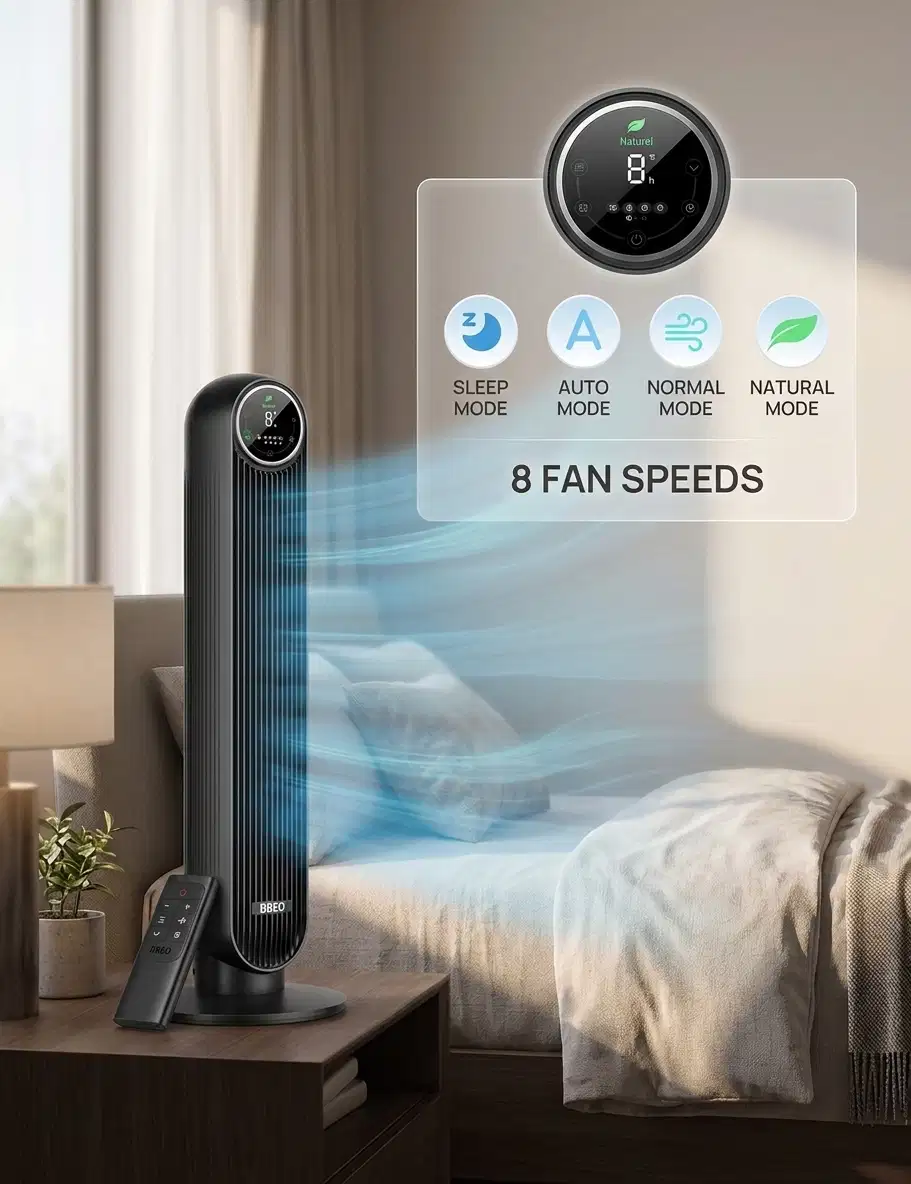
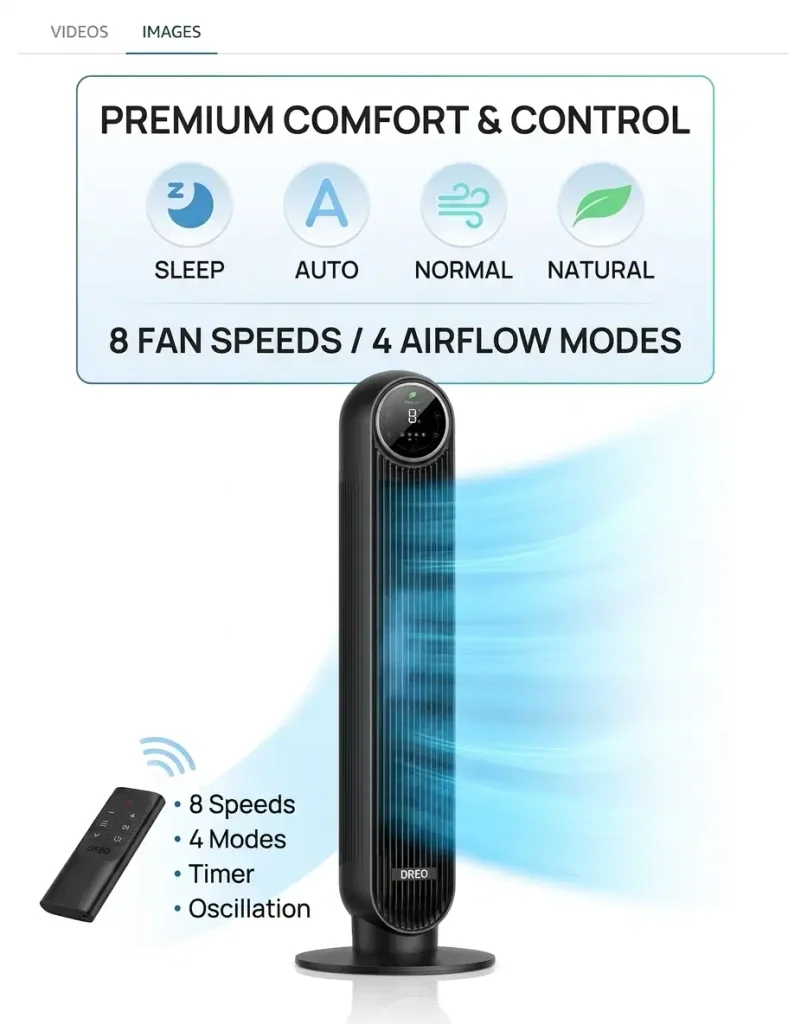
The most useful fan features are the ones that solve a recurring annoyance in the room where you use it. Small control details can matter at night or during a workday. The Dyson Cool AM07 has 10 speed settings, 70 degrees of oscillation, and a programmable timer from 15 minutes to 9 hours. Choose features for the task you repeat most often.
A timer can stop a fan after you fall asleep, while a display that stays bright may be distracting in a bedroom. Beeps can interrupt quiet work, and a remote can save you from getting up to change a setting. Oscillation moves the air across a wider area than a fixed direction.
Bedroom and nighttime use
Set controls before bed if waking to adjust the fan would disturb you. A timer gives you a way to run it for a chosen period, and display behavior can matter when the room is dark. Check whether controls make sounds when you change settings, especially if you share the room with a light sleeper.
One useful bedroom scenario is a light sleeper setting the fan before bed and using its timer rather than reaching for controls later. That routine makes easy-to-use buttons and a clear shutoff period more valuable than features you rarely touch.
Living room and home office
In a living room, oscillation can help move air across more than one seat. In a home office, quiet controls matter when an alert or button tone could break your focus. A remote is handy if the fan sits across the room, while a fixed direction may suit one desk or chair.
- Bedroom: set the speed and timer before settling in.
- Living room: aim oscillation across the seats people occupy.
- Office: choose controls that do not add distracting beeps.
The Dyson’s range of settings offers several ways to adjust its operation, but useful options differ by room. A timer is useful when you want cooling as you settle in without running the fan longer than intended.
Cleaning Access Matters for Dust and Routine Maintenance
A fan that is difficult to open can make routine dust removal less likely. Accessible parts can make maintenance easier to fit into your routine. The Levoit Classic 36-inch grille disassembles quickly for access to the propeller, while removing the Dreo Cruiser Pro T1 rear grille can be tricky. Do not force a grille that does not release easily.
Check how the grille opens
Before you buy, check how the grille opens and which parts the instructions identify as removable. A design that gives you access to dust-prone areas can make cleaning less awkward. For the Dreo Cruiser Pro T1, tricky rear grille removal is a reason to take extra care, not to pull harder.
Use the product instructions to tell user-serviceable parts from components that should stay in place. A grille may have clips or fasteners that require a particular approach. Pulling against resistance can damage a part or make it harder to reassemble.
Use a safe cleaning routine
Follow this five-step routine for basic dust removal:
- Unplug the fan before cleaning.
- Consult the product instructions for approved care.
- Remove only parts the instructions identify as user-serviceable.
- Wipe accessible surfaces with a dry or lightly damp cloth.
- Let parts dry fully before reassembly.
A cloth that is only lightly damp can remove dust from reachable surfaces without soaking the unit. Keep moisture away from electrical parts, and do not use a method that conflicts with the instructions. If a part does not come free as expected, stop rather than forcing it.
Routine dust removal is easier when you know how the grille releases and what you can safely reach. Unplug the fan before opening or wiping the grille.
When a Pedestal Fan May Fit Better
A pedestal or portable fan is worth considering when its position and direction of airflow suit your space better than a slim tower. Placement flexibility can matter more than a narrow footprint if you need height adjustment or want to move a fan between areas. Choose the format that fits where you need air directed.
A pedestal fan has a floor stand and vertically adjustable height. A portable fan may work when you want to change its position rather than keep it in one fixed spot. Either format can suit you when the best airflow direction does not match the placement a tower allows.
| Model | Fan type | Setting | Sound level |
|---|---|---|---|
| Pelonis 16-inch pedestal fan with DC motor | Pedestal | Low from 6 feet | 34 dB |
| Pelonis 16-inch pedestal fan with DC motor | Pedestal | High | 52 dB |
| Shark FlexBreeze Fan with InstaCool Mist | Portable fan | Low | 32.4 dB |
| Shark FlexBreeze Fan with InstaCool Mist | Portable fan | High | About 58.5 dB |
The Pelonis 16-inch pedestal fan with DC motor has 12 speeds and 85 degrees of oscillation. The Shark FlexBreeze Fan with InstaCool Mist has five speed settings. These features give you different ways to adjust operation, but neither set of sound readings describes every setting.
Consider a pedestal fan if its adjustable stand can place the outlet at a more useful height. A portable fan may suit a room where you want to shift airflow between a desk and seating area. A tower’s slim shape can be easier to fit, while a different format can offer more choice in position.
Choose a pedestal or portable fan when stand height, portability, or airflow direction matters more than a narrow footprint.
Compare sound at matching settings and distances before using a low reading as your deciding factor. Choose the format that fits your placement needs, not only the lowest sound reading.
Conclusion
Your best match is the fan that balances usable airflow with a sound level and feature set you can live with. Start with the speed you expect to use, then weigh what the room needs: quiet for sleep, directed air for a seat, or simple controls for work.
Measurements help you compare models, but the test setting and room position shape how useful each result is. A good shortlist fits your comfort needs without asking you to pay for features you will not use.
Before buying, check the exact model’s current specifications, price, and return terms. Confirm that the listed version has the controls and operation you expect, and make sure the seller’s return window suits your plans. Before buying, confirm the current listing’s specifications, price and return terms.
FAQ
How quiet should a tower fan be for sleeping?
Choose a fan whose dBA reading suits you at the speed you plan to use, then listen from your sleeping position. A number alone cannot capture whether beeps or a tonal hum will bother you. Compare measurements taken at the same speed and a similar distance, because a low-setting result does not describe stronger levels. A brief listening test in the bedroom gives you a more useful answer.
Can a tower fan cool an entire room?
A tower fan moves air, but it does not lower room temperature like an air conditioner. You may feel a breeze across a wider area when the outlet has a clear path and the fan reaches occupied parts of the room. Placement, room shape, and airflow reach affect where you feel the movement. It can improve comfort without cooling the whole room’s air.
What is the difference between FPM and CFM on a fan?
FPM measures air speed, while CFM describes the volume of air moved per minute. The two measurements answer different questions: FPM tells you how fast air moves at a point, and CFM describes how much air passes through over time. Neither number alone shows how evenly the fan circulates air across a room. Compare each measure with the same type of result.
Is a misting tower fan a good choice for a bedroom?
A misting fan can suit a bedroom if added moisture fits the room’s humidity and ventilation. Consider whether you are comfortable increasing moisture in that space, especially if the room already feels humid or has limited airflow. A misting model is not simply a standard fan with a different setting. Check the product’s instructions and consider how the added moisture fits your room.
Do tower fans use less electricity than air conditioners?
A tower fan typically uses less electricity than an air conditioner, but it does not provide the same temperature control. A fan circulates air across your skin, which can make you feel cooler, while an air conditioner removes heat from indoor air. Your actual electricity use depends on the wattage and hours you run each unit. Compare those figures for your normal use.
Is it safe to leave a tower fan running overnight?
A tower fan can run overnight when you follow its operating instructions and keep it in safe condition. Place it on a stable surface, with the intake and outlet clear, so air can move freely. Use only the controls and operating modes described for your model. If the fan’s cord, housing, or operation seems damaged, stop using it until it has been checked.