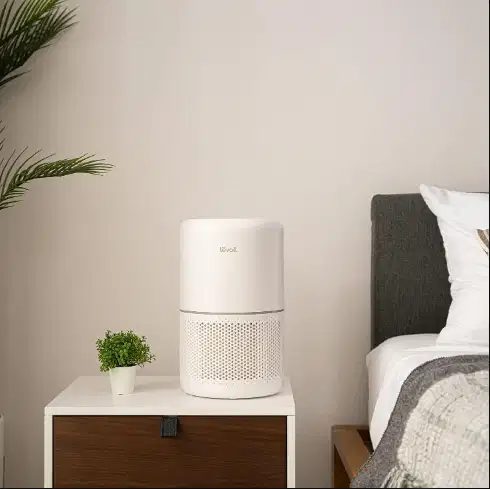
Levoit Core 300-P Air Purifier Review: What You Get
The Levoit Core 300-P is a sensible pick for a single small room if you want straightforward particle and odor filtration without smart controls. It suits you best when a compact, manually operated air purifier can handle the room where you spend the most time.
Smoke, dust, everyday odors, sleep comfort, upkeep, and ongoing expense all matter when you choose a purifier. This review weighs those concerns against the model’s features and room-level purpose, so you can decide whether its simple approach fits your household.
Key Takeaways
- Designed for room-level use, not whole-home filtration.
- Manual fan settings give you direct control over operation.
- Three filter stages address larger debris, airborne particles, and some odors.
- Noise and cleaning output change with the fan setting.
- Replacement filters and electricity add to the cost of ownership.
Treat it as a focused room purifier, not a substitute for a whole-home system.
Is the Levoit Core 300-P Air Purifier Worth It?
At its listed price, this model offers a compact, manual purifier for buyers who do not need connected features. At $99.99 in 2026, the levoit core option gives you direct fan controls and room-level filtration without adding app-based management.
The value depends on whether you prefer a lower upfront cost and simple operation over automated adjustments. You can start the fan, choose a speed, and set a timer without learning a connected system. That straightforward setup may matter more than extra features if you want a purifier that stays easy to operate.
Choose this purifier for uncomplicated room-level cleaning, not for hands-free air-quality management.
The tradeoff is clear: you make the operating choices yourself. Buyers who want an air purifier to react to changing air quality should consider a model with automatic features instead.
Its accessible price makes the Core 300-P worth considering when compact size and manual control match your priorities. The overall cost also includes electricity and replacement filters, so the asking price is only one part of ownership.
Think about who will use the unit and whether anyone in your household expects it to adjust without input. A manual purifier can be a practical value when you are comfortable selecting settings and tracking routine upkeep.
Choose it for uncomplicated room-level cleaning, not for hands-free air-quality management.
Room Coverage at Different Air-Change Rates
The room-size figure you should use depends on how quickly you want the air to cycle through the filter. For faster turnover, the purifier is rated for a smaller area than its maximum listed room size.
ACH is the number of times a purifier filters the equivalent of a room’s air volume in one hour. The ideal room size is 222 square feet at 4.8 ACH, while the listed room size is 1,066 square feet at 1 ACH.
Those figures describe different cleaning rates, not equal performance across two room sizes. At 4.8 ACH, the air volume cycles through the filter more often; at 1 ACH, turnover is slower.
The larger area can still be useful if you want lighter air turnover across a broader space. It does not mean the purifier delivers the same cleaning intensity there as it does in the smaller 4.8-ACH area.
- Measure the room you intend to serve, including its length and width.
- Account for connected open areas that share air with that room.
- Decide whether you need stronger or lighter air turnover for your air quality goals.
Room layout can affect how evenly air reaches the purifier. A connected dining area or open doorway may make the effective space larger than the room’s measured floor area.
Use the smaller rated area when you need the listed 4.8-ACH cleaning rate.
CADR and Test Results
The listed CADR gives you a useful starting point, while pollutant-specific results show how the Core 300 performed in separate comparisons. CADR, or clean air delivery rate, describes the volume of filtered air delivered per minute.
The Core 300-P has a listed CADR of 143 CFM, but that is not the same measurement as each Core 300 pollutant result. Smoke, dust, and pollen readings below apply to the Core 300 designation.
| Pollutant | Core 300 comparison CADR | Value |
|---|---|---|
| Smoke | Core 300 | 113 CFM |
| Dust | Core 300 | 129 CFM |
| Pollen | Core 300 | 134 CFM |
The pollutant-specific readings distinguish how the Core 300 performed across separate comparisons. They do not replace the Core 300-P’s listed 143-CFM figure or prove identical results for both designations.
A separate Core 300 test used a 728-cubic-foot room. The unit took 54 minutes to clean that test room, which is a result from that setup rather than a guaranteed time for your home.
Room volume, airflow paths, and the level of air pollution can all affect how quickly a room’s air changes. Treat test results as comparison points, not as a promise that every household will see the same outcome.
For air purifiers, CADR can help you screen models before comparing their room ratings and intended cleaning rates. The levoit core measurements are useful only when you keep their model designation and test conditions clear.
Use CADR as a screening measure, then match the purifier’s rated room coverage to your intended cleaning rate.
Three-Stage Filtration for Particles and Odors
The purifier separates larger debris, airborne particles, and some odors across three filtration stages. Each stage has a different job, so the filter system is not a guarantee against every indoor pollutant.
The pre-filter, particle filter, and activated-carbon filter address different types of material. Their combined purpose is to reduce selected particles and some odors as air passes through the unit.
The pre-filter catches larger debris
The pre-filter catches larger particles before they reach the particle filter. It can collect visible debris such as lint, hair, and larger dust, helping protect the layers behind it.
This stage does not replace regular cleaning or remove every particle from the air. Its role is to intercept bigger material that might otherwise build up deeper inside the filter assembly.
The particle filter targets airborne particles
The particle filter handles airborne particles such as dust and pollen. It can also capture other small particles that pass through the intake, including some pet dander and smoke particles.
Do not treat the particle filter as a promise that it removes every particle or solves every air quality concern. This review does not assign it a specific particle-removal percentage or describe it as True HEPA.
For a household concerned about everyday dust, the particle filter is the main stage to consider. The actual benefit depends on the room, how the purifier is used, and what enters the air.
The activated-carbon filter addresses odors and gases
The activated-carbon filter adsorbs some odors and gases. Adsorption means certain substances stick to the carbon surface as air moves through the filter.
Carbon capacity is limited, and the layer is not a universal chemical barrier. Ordinary household odors are different from heavy smoke, strong fumes, or persistent chemical odors that continue to enter a room.
That limit matters when you compare a small purifier with source control, ventilation, or other measures. The carbon filter may help with some smells, but it cannot remove the source of an odor or promise relief from every gas.
For persistent fumes or severe odor problems, do not rely on a small carbon layer as your only control.
Is It Quiet Enough for a Bedroom?
Its published noise range makes the low setting more suitable for quiet rooms than the top setting. For sleep or focused work, a lower fan speed is the sensible place to start.
The manufacturer lists a noise range of 24-54.5 dB. The sound changes with fan output, so the setting that moves more air may be more noticeable in a bedroom or office.
A low setting can be easier to live with overnight, while a higher setting provides more active airflow. You choose that tradeoff manually, based on whether quiet or stronger cleaning matters more at that moment.
Sound can seem different from room to room. Hard surfaces may make fan noise more noticeable, while distance and background sounds can change how strongly you hear it.
The same setting may also feel different to different listeners. If you sleep lightly, a steady fan sound can be more distracting than it is for someone who is used to background noise.
Do not expect silence from a purifier that moves air with a fan. You can make the sound less intrusive by choosing a lower setting, but that also changes airflow.
If you are sensitive to fan noise, test the purifier at the speed you expect to use overnight.
Electricity Use and Running Costs
Your electricity cost depends more on how long you run the fan and which setting you choose than on the rated-power figure alone. Runtime and speed determine how much energy the purifier uses over time.
The rated power is 56 W, while Core 300 testing recorded lower readings at individual speeds. Those Core 300 results were 19.7 W at speed 1, 24 W at speed 2, 35.5 W at speed 3, and 0.1 W in standby.
The rated figure and the speed-by-speed readings are not interchangeable. The lower readings show measured use at specific settings on the Core 300, rather than a promise that every Core 300-P will draw the same amount in every home.
For an estimate, multiply the purifier’s kilowatt-hours by your electricity rate. Convert watts to kilowatts by dividing by 1,000, then multiply by the hours you expect to run the unit.
For example, your calculation needs the fan setting, daily runtime, and local price per kilowatt-hour. A higher setting or longer daily use raises the energy estimate; lower use reduces it.
Filter expenses are separate from electricity. Keep the consumable cost in its own part of your household budget instead of treating it as part of the power bill.
Use your local electricity rate and expected daily runtime to estimate the energy portion of ownership.
What Do Replacement Filters Cost?
Plan for filter replacements as a recurring cost, not as a one-time purchase. In 2026, a genuine two-pack replacement filter is listed at $54.99.
Levoit recommends replacing the filter every 6-8 months. The listed pack price applies to two filters, so check the package quantity when comparing replacement options.
Filter price and replacement timing
| Item | Listed detail | Planning implication |
|---|---|---|
| Genuine two-pack | $54.99 in 2026 | Check that the listing is for two filters |
| Recommended replacement interval | 6-8 months | Plan for replacement on that schedule |
| Filter options | Original, Pet Allergy, Toxin Absorber, Mold Bacteria | Select a type for household needs |
A 6-8-month recommendation gives you a useful budgeting interval, but it is not a guarantee that every filter will last exactly the same time. Dust, use, and the unit’s condition can affect how the filter performs.
Use the recommended interval as your planning baseline and pay attention to the filter reminder and its condition. A heavily used unit may need attention sooner than one used lightly in a cleaner room.
Choosing a genuine filter type
The genuine options include Original, Pet Allergy, Toxin Absorber, and Mold Bacteria. Choose a type based on your household’s needs, and check that it is intended for the Core 300-P.
Names on a package describe a filter option, not a promise to resolve every household concern. Select the option that matches your priorities, then factor its replacement into your cost per year.
Confirm the pack size and filter type before ordering.
Setup and Filter Care
Before switching the purifier on for the first time, make sure the filter is out of its plastic wrapping. That first check matters, because a wrapped filter can impede airflow and operation.
Filter replacement takes about 5 minutes, and the unit needs a reset after the new filter is installed. Follow a simple routine to avoid opening the purifier while it is powered.
- Remove the filter’s plastic wrapping before powering on the purifier.
- Unplug the unit before opening it to reach the filter.
- Vacuum the pre-filter every 2-4 weeks.
- After installing a replacement, restore the cover and hold the filter-reset control for 3 seconds.
The plastic wrap protects the filter during shipping, but it must not stay in place during use. Running the unit with the filter still wrapped can impede normal operation.
Unplugging before opening the purifier keeps the maintenance routine straightforward. The pre-filter can collect loose debris between full filter changes, so regular vacuuming helps keep that layer clear.
After a replacement, the reset control tells the unit that the filter has been changed. Restore the cover before resetting, and hold the control for the full three seconds.
Keep the replacement packaging until you have confirmed the new filter fits and the unit runs normally.
Manual Controls and Missing Smart Features
You control the fan and timer directly on the unit, rather than relying on automatic adjustments. Manual control works well if you are comfortable choosing a setting yourself.
The purifier has four fan settings: sleep mode and speeds 1, 2, and 3. You can also set a timer for 2, 4, 6, or 8 hours.
What you can control on the unit
The fan button cycles through the available settings, and the timer turns the purifier off after the selected period. A display-off option can darken the panel when you want fewer lights in the room.
The child lock helps prevent accidental changes to the controls. A filter reminder signals when it is time to consider a replacement, and setting memory retains the last settings after the unit is turned off.
- Set a 2-hour timer while you settle into a room for a short task.
- Choose a 4-hour timer for a work session with a defined end.
- Use an 8-hour timer when you want the unit to run through a longer period.
The timer is a run-time control, not an air-quality monitor. It does not read the room and decide when the fan should speed up or slow down.
What the model cannot automate
The Core 300-P has no air quality sensor, auto mode, app, or voice control. You must choose the fan setting manually and change it when your needs shift.
That approach avoids relying on connected controls, but it also asks you to make each adjustment. If you want the purifier to respond to changing air quality without your input, another model may fit better.
Pick this model only if manual operation fits the way you want to manage indoor air.
Dimensions, Weight, and Placement
Its compact footprint makes the Core 300 easier to place than a large tower purifier. The cylindrical shape can fit beside furniture or in a corner without taking up much floor space.
The Core 300 measures 14.2 × 8.7 × 8.7 inches and weighs 7.9 pounds. Air enters through a 360-degree intake around the unit.
The all-around intake means the purifier does not need to face one direction to draw air. Still, furniture, curtains, or stored items can block part of the intake and limit the space available for airflow.
Place the unit on a stable surface that can support its weight. A firm floor or suitable tabletop helps keep it steady while the fan runs.
Leave room for the clean-air outlet as well as the intake. Crowding either air path can disrupt circulation around the purifier, even when the unit fits neatly in a tight spot.
At 7.9 pounds, it is portable enough to move between rooms when your routine changes. Moving it does not increase the space it can clean at the desired rate.
Check the available floor or tabletop space and keep the air paths unobstructed.
How Does It Compare with the Core 300S?
The Core 300S is the closer fit if you want the same basic design with sensor-led operation. Its main upgrade is automated control rather than a different exterior or filter system.
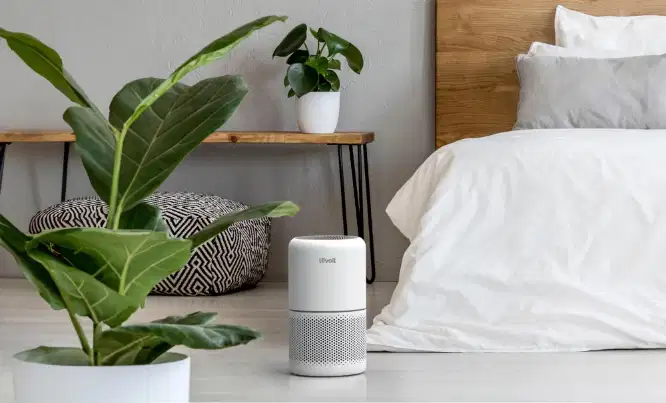
The Core 300S adds an air quality sensor, auto mode, and app support. The model was released in 2021 and shares the Core 300’s exterior and filters.
Shared design and filter compatibility
The shared exterior means the two models have a similar compact form. They also use the Core 300 filter type, which keeps the basic filter choice consistent between these related air purifiers.
That shared design does not make their controls identical. The Core 300-P stays manual, while the 300S adds features that can respond to readings from its sensor.
| Model | Sensor and automation | Practical distinction |
|---|---|---|
| Core 300-P | No sensor or auto mode | Manual operation |
| Core 300S | Air quality sensor, auto mode, and app support | Added automation |
| Vital 100S-P | Sensor and smartphone connectivity | Connected-control alternative |
Smart controls and automation
The 300S makes more sense if you want to check the unit through an app or let it adjust its operation. An air quality sensor can inform its automated response, while app support adds another way to manage it.
The upgrade is less useful if you prefer to set the fan yourself and leave it there. The key decision is whether app control and automatic adjustment matter enough to choose the more connected model.
Favor the Core 300-P when you would rather operate the fan yourself.
Best Fit for Bedrooms, Offices, and Small Rooms
This model makes the most sense when you want a compact purifier dedicated to one regularly used room. A focused room choice lets you place the unit where its operation matters most to you.
The Core 300-P is positioned for room-level use, not whole-home air cleaning. Your room layout and the type of cleaning you need both affect whether it fits.
- A bedroom where manual fan selection is acceptable.
- A home office where compact placement matters.
- A room where dust or pollen is a household concern.
- A room with everyday household odors rather than severe fumes.
In a bedroom, decide whether you are comfortable selecting the fan setting yourself. A purifier can be useful overnight only if its operation suits your preferences and the room’s needs.
In a home office, the compact form may be easier to accommodate beside a desk or elsewhere nearby. Consider where you can place it without blocking the air paths or crowding your work area.
Dust, pollen, smoke, and pet dander are common household concerns that can influence your choice. Everyday odors are a different use case from severe fumes, which call for more than a small purifier’s carbon layer.
Open layouts can complicate a room-level choice because air moves between connected spaces. Think about which room you use most and whether its layout allows the purifier to serve that area effectively.
Match the choice to the room you intend to clean most often, not to the size of your whole home.
Alternatives for Different Needs
Look beyond the Core 300-P if your room needs a different scale of purifier or you want a different feature set. Other Levoit models cover smaller spaces and larger-room needs.
Choose an alternative based on room scale, connected controls, and the kind of odor control you need. A different model may suit your household better if one of those priorities outweighs compact manual operation.
Smaller-room options
The Core Mini-P is positioned for smaller spaces and uses mesh carbon. Consider it when compact size matters more to you than pelleted-carbon odor control.
The Core 200S is also positioned for smaller spaces. It gives you another option when the Core 300-P feels larger than the room requires.
Larger-room options
The Core 400S is a larger model, and the Vital 200S is another larger-model alternative. These models are worth considering when you want a larger unit for your intended space.
| Model | Stated positioning or feature | When to consider it |
|---|---|---|
| Core Mini-P | Smaller spaces and mesh carbon | Compact size over pelleted-carbon odor control |
| Core 200S | Positioned for smaller spaces | A smaller-room option |
| Core 400S | Larger model | When the room needs a larger purifier |
| Vital 200S | Larger-model alternative | When a larger unit is the priority |
Use this checklist before choosing:
- Does the room call for a smaller or larger purifier?
- Do you need connected controls for daily use?
- Is odor control a primary concern in your household?
Compare the intended room size and controls before choosing a model by appearance alone.
Compare the intended room size and controls before choosing a model by appearance alone.
Warranty and In-the-Box Items
The package includes the purifier and the basic materials needed to start using it after setup. Check the seller’s terms as well as the product contents before you buy.
The Core 300-P comes with a 2-year limited warranty. The box includes the purifier, a pre-installed original filter, a user manual, and a quick start guide.
Levoit’s direct product page lists a 30-day money-back guarantee. Return terms can differ by retailer, so the direct-purchase guarantee does not automatically describe every seller’s policy.
The product also carries a California Proposition 65 warning that identifies lead exposure and cancer and birth-defect or reproductive-harm risks. The warning does not establish the level of exposure during normal use.
Read the warranty terms to understand what they cover and any limits that apply. A limited warranty is not the same as a promise that every repair or replacement will be covered.
Keep the user manual and quick start guide with your household records. They identify the product materials included with the unit and provide the instructions meant for its use.
Check the warranty and return terms that apply to the seller you choose.
Conclusion
The Core 300-P is a reasonable choice when simple, room-level filtration matters more to you than automation. Its value is practical if you want a compact air purifier and are comfortable managing the fan yourself.
Buyers who need automatic adjustments or larger-room coverage should compare alternatives before ordering. Those needs can make another purifier a better fit, even if the Core 300-P’s basic operation appeals to you.
Before ordering, match the purifier’s rated coverage to your room and confirm the filter type you want.
FAQ
How do you calculate the CADR you need for a room?
Multiply the room volume in cubic feet by your desired ACH, then divide by 60 to estimate the needed CFM. Room volume includes ceiling height, so two rooms with the same floor area can require different airflow. A higher desired cleaning rate also raises the needed CADR. Use this calculation as a planning estimate, then compare it with the purifier’s listed rating.
Can the Core 300-P run continuously?
Yes, the Core 300-P can run continuously. The fan setting and your local electricity rate determine the energy cost, so longer use and higher settings can increase the bill. The purifier has no auto mode to adjust its operation for you. You choose the fan setting and can use the timer when you want a defined run period.
What happens if you use it in a room larger than its 4.8-ACH rating?
The purifier can still move air, but the room receives fewer air changes per hour and cleaning becomes slower. The 4.8-ACH rating applies to a smaller room than the larger, 1-ACH area listing. A larger space therefore does not receive the same air turnover. Room layout and connected spaces can also affect how well the unit serves the area.
Should you use a genuine replacement filter?
Genuine filters are the straightforward fit for the Core 300-P. If you consider a third-party filter, check its exact compatibility with the Core 300 before ordering. A filter that appears to fit does not prove it performs the same way as the genuine option. Also confirm the listing’s pack size and filter type so you know what you are buying.
Can the activated-carbon filter handle strong chemical fumes?
No, you should not rely on the activated-carbon filter as your only control for persistent or severe fumes. Its carbon layer can adsorb some odors and gases, but its capacity is limited. Strong fumes may continue to enter the room or exceed what a small filter layer can address. For those conditions, focus on controlling the source and use suitable ventilation or other measures.
Is the Core 300-P’s sleep setting completely silent?
No, the sleep setting is not completely silent because the purifier still uses a fan to move air. The published overall noise range is 24-54.5 dB, and perceived sound depends on the room and listener. Background noise, distance, and your sensitivity can change how noticeable it feels. Try the setting where you expect to use it rather than assuming it will be inaudible.